

A patient-facing form is HIPAA-compliant when your practice controls how electronic protected health information (ePHI) is handled, a vendor signs a Business Associate Agreement (BAA), and you have documented administrative, physical, and technical safeguards in place. All three conditions must be met. Miss any one of them and the form is not compliant, regardless of what the vendor's marketing page says.
Three actions to take before deploying any digital patient form:
- Get a signed BAA from the vendor. A signed BAA legally binds the vendor to HIPAA protections. No BAA means no compliance, full stop.
- Confirm encryption in transit and at rest. TLS for data in motion, AES-256 (or equivalent) for stored data. Ask for documentation, not a checkbox on a features page.
- Complete a documented risk assessment. The HIPAA Security Rule requires it. A risk assessment is not a one-time event; it runs on a recurring schedule.
HHS Office for Civil Rights (OCR) enforces these requirements. NIST SP 800-66 maps Security Rule controls to practical cybersecurity measures and is the go-to technical reference for your IT team. Software alone does not create compliance. The program lives in your policies, your people, and your documentation.
Table of Contents
- What do HIPAA-compliant forms actually require?
- What should you require from any form vendor?
- How do specialty practices commonly deploy these forms?
- What mistakes do practices most often make?
- What does a realistic implementation timeline look like?
- Key Takeaways
- What specialty practices get wrong about compliance
- Zensweb helps specialty practices get this right from the start
- Authoritative sources to share with your legal and IT teams
What do HIPAA-compliant forms actually require?
The HIPAA Security Rule organizes requirements into three safeguard categories. Every specialty practice collecting PHI online must address all three.
Administrative safeguards are the foundation most practices underinvest in. You need a designated privacy and security officer, written policies and procedures, a documented risk assessment on a recurring schedule, workforce training records, and a written breach response plan. Experts consistently flag that practices treat software purchases as "checking the box" while skipping these administrative steps entirely.
Physical safeguards cover workstation controls, device policies, screen locks, and procedures for lost or stolen devices. If a staff member submits a patient intake form from an unlocked laptop in a coffee shop, your physical safeguard policy failed before the technical controls even had a chance.
Technical safeguards are where most vendor conversations focus, and rightly so. The required controls include:
- Role-based access controls (RBAC) with unique user IDs
- Multi-factor authentication (MFA) for accounts that touch ePHI
- Audit logs that record who accessed what and when, with a defined retention period
- Encryption in transit (TLS) and at rest (AES-256 or equivalent)
- Integrity controls to detect unauthorized data alteration
- Secure transmission paths to your EHR
Encryption is technically "addressable" under HIPAA, meaning the rule allows documented alternatives. In practice, OCR enforcement treats unencrypted ePHI as a primary non-compliance indicator. Treat encryption as mandatory.
One more point on vendor trust signals: SOC 2 reports, HITRUST certification, and penetration test results are useful indicators of a vendor's security maturity. They are not substitutes for a signed BAA and your own documented controls.
What should you require from any form vendor?
Run every prospective vendor through this checklist before signing anything.
Yes/No vendor checks:
- Signed BAA available before go-live
- Encryption at rest (AES-256 or documented equivalent) and in transit (TLS 1.2+)
- Audit logs with a defined retention policy
- RBAC and MFA support
- Breach notification SLA (HHS requires notification within 60 days of discovery)
- Documented incident response plan
- Data stored in U.S.-based data centers
- Backup and data retention policy
- EHR integration via API, HL7, or SMART on FHIR
- Data portability and export formats on contract termination
Questions to paste into your RFP or procurement email:
- "Who holds the encryption keys, and are they stored separately from the encrypted data?" Under HHS Safe Harbor guidance, storing keys and data together forfeits Safe Harbor protections in a breach.
- "Can you provide your most recent penetration test summary and SOC 2 report?"
- "What is your breach notification timeline and how is it documented in the BAA?"
- "Which subprocessors handle our PHI, and are they named in the BAA?"
- "How do you limit internal staff access to our patient data?"
Pro Tip: A defensible BAA should explicitly name the scope of PHI processing, list all subprocessors, assign key-management responsibilities, state breach notification timelines (60 days maximum under HIPAA), and specify how data is returned or destroyed on contract termination. A BAA that omits subprocessors is a gap worth pushing back on.
On cost: vendor pricing for HIPAA-capable form platforms typically scales by submission volume, user seats, or feature tier. Budget separately for the BAA review (legal counsel time), annual risk assessment, and staff training refreshes. The ongoing monitoring cost is often underestimated at procurement.
How do specialty practices commonly deploy these forms?
Three deployment patterns cover most specialty practice scenarios.
| Deployment | Security posture | Patient friction | Integration effort | Conversion impact |
|---|---|---|---|---|
| Embedded/iframe on practice site | Depends on vendor controls | Low | Low–Medium | High (stays on your site) |
| Vendor-hosted secure portal | Strong (vendor-managed) | Medium | Low | Medium (redirect required) |
| EHR-integrated (API/HL7/SMART) | Strongest (native ePHI flow) | Low–Medium | High | High (no duplicate data entry) |
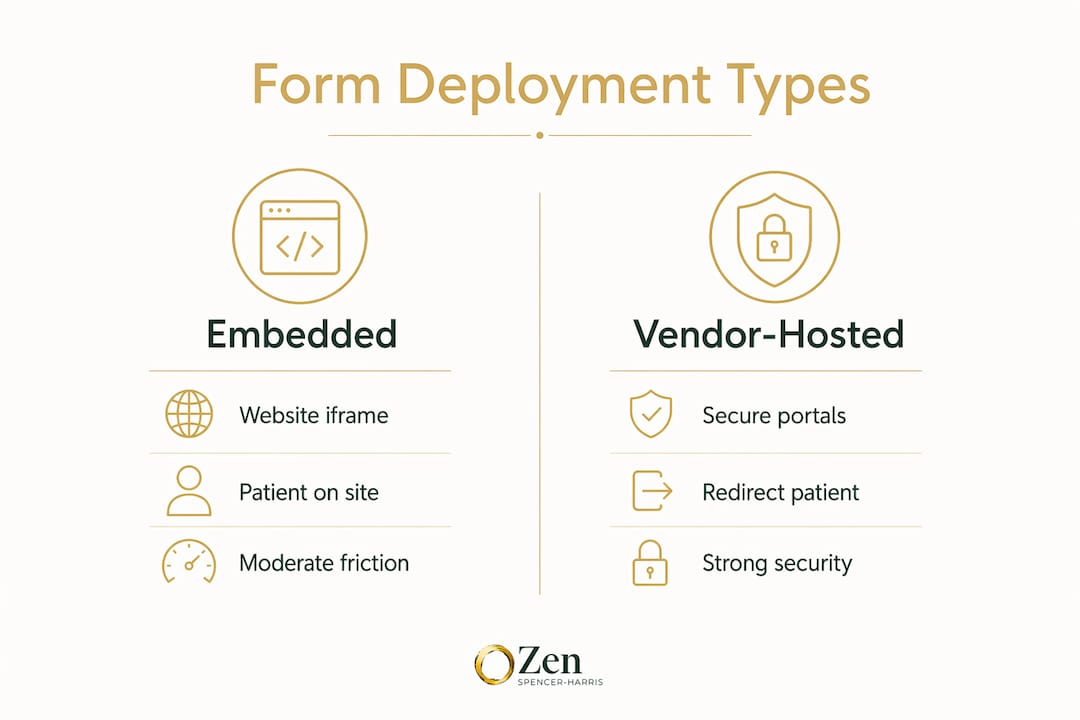
Embedded forms live on your practice website via an iframe or JavaScript snippet. The patient never leaves your site, which is good for conversion and patient acquisition. The security posture depends entirely on the vendor's controls, so your vendor checklist matters more here than in any other deployment.

Vendor-hosted secure portals redirect patients to the vendor's subdomain. Security is vendor-managed and typically strong, but the redirect adds a step. Some patients abandon at that point, particularly on mobile. The tradeoff is worth it for smaller practices that lack IT resources to manage an embedded integration.
EHR-integrated forms connect directly to your clinical system via API, HL7, or SMART on FHIR. No duplicate data entry, no copy-paste errors, and ePHI flows natively into the patient record. The integration effort is real, typically requiring your EHR vendor and the form vendor to coordinate. For mid-to-large specialty practices with meaningful visit volume, this is the right long-term architecture.
Overly complex tools push staff and patients toward workarounds. A form that takes four steps on mobile will get abandoned in favor of a phone call, a fax, or a regular email. None of those are better for compliance.
What mistakes do practices most often make?
- Relying on marketing claims instead of documentation. "HIPAA-compliant" on a vendor's homepage is not a legal commitment. The BAA is. Vendor trust signals like audit logs and encryption must be verified in contract language, not assumed from feature lists.
- Emailing PHI without encryption. Regular email is not a secure transmission method for ePHI. Use a vendor-provided secure messaging channel or a HIPAA-capable email gateway.
- Skipping the BAA. This one is worth repeating because it still happens. No BAA means the vendor relationship is non-compliant regardless of the technology.
- Failing to train staff. A documented training program is a Security Rule requirement, not a nice-to-have. Staff who don't know the policy create the breach.
- Storing encryption keys with the data. See the HHS Safe Harbor guidance above. Separate key management is not optional if you want Safe Harbor protection.
- Excessive friction that creates workarounds. A form that requires patients to create an account, verify an email, and download a PDF before submitting will drive them to call the front desk and dictate their SSN over the phone.
Pro Tip: Tokenized links sent via SMS let patients open a pre-filled, secure form on their phone in one tap, no account creation required. One-click mobile submissions with session-based authentication cut abandonment without sacrificing the security controls underneath.
What does a realistic implementation timeline look like?
Step-by-step checklist:
- Identify and shortlist vendors using the checklist above (Week 1)
- Request BAA drafts and security documentation from finalists (Week 1–2)
- Legal review of BAA; negotiate subprocessor list and key-management terms (Week 2–3)
- Technical integration: embed, portal setup, or EHR API configuration (Week 3–5)
- Complete or update your documented risk assessment (Week 3–4)
- Staff training: policy walkthrough, device protocols, breach reporting procedure (Week 4–5)
- Pilot with a small patient cohort; verify audit logs are capturing correctly (Week 5–6)
- Go-live; confirm encryption and access controls in production (Week 6)
- 90-day monitoring: review audit logs monthly, confirm no unauthorized access, schedule next risk assessment (Ongoing)
| Role | Responsibility | Decision gate |
|---|---|---|
| Owner / marketing lead | Vendor selection, budget approval, go-live sign-off | Approves BAA and deployment method |
| IT / EHR admin | Technical integration, audit log setup, device policy | Confirms encryption and log capture before pilot |
| Vendor | BAA execution, security docs, integration support | Delivers signed BAA before any PHI flows |
| Legal / compliance | BAA review, risk assessment sign-off | Clears BAA language before contract execution |
Pro Tip: Before go-live, submit a test form with synthetic patient data and confirm the audit log captured the submission, the user ID, and the timestamp. If the log is empty, the technical safeguard is not working.
Small practices (1–3 providers) can typically complete this in 6 weeks. Mid-size specialty practices with EHR integration requirements should plan for 8–10 weeks. Larger clinics with multiple locations and complex EHR environments should budget 12 weeks and assign a dedicated project lead.
Key Takeaways
A HIPAA-compliant patient form requires a signed BAA, documented administrative safeguards, and verified technical controls — no single product delivers all three on its own.
| Point | Details |
|---|---|
| BAA is non-negotiable | A signed Business Associate Agreement is required from every vendor that handles your ePHI before any form goes live. |
| Compliance is a program | Documented risk assessments, written policies, and staff training are mandatory Security Rule requirements, not optional add-ons. |
| Technical controls to verify | Confirm AES-256 encryption at rest, TLS in transit, RBAC, MFA, and audit logs with retention policy before signing. |
| Friction creates risk | Overly complex forms push patients and staff toward unsecured workarounds; low-friction design is a compliance strategy. |
| Zensweb can accelerate deployment | Zensweb's patient acquisition audits include form workflow review to reduce friction and support compliant, conversion-ready intake. |
What specialty practices get wrong about compliance
Most practice owners approach HIPAA forms as a procurement problem. Find the right vendor, sign the BAA, done. The reality is that the vendor relationship covers maybe 40% of the compliance picture. The rest lives in your staff's daily behavior, your device policies, and whether your risk assessment was done last quarter or three years ago.
The practices that get breached are rarely the ones that chose the wrong software. They are the ones where a front-desk coordinator emailed a patient's intake form as a PDF attachment because the portal was too slow, or where a provider accessed records from a personal device with no screen lock. No vendor BAA protects against that.
The other thing worth saying plainly: HIPAA compliance and patient conversion are not in tension. A well-designed, vendor-hosted form with a tokenized SMS link is both more secure and faster for the patient than a paper form mailed back to the office. The practices that treat compliance as a conversion asset, not a legal burden, tend to outperform on both dimensions.
Zensweb helps specialty practices get this right from the start
Most specialty practices lose patients before the first appointment because their intake process creates friction. A form that redirects to an unfamiliar portal, requires account creation, or times out on mobile is a conversion problem as much as a compliance one.

Zensweb works with specialty healthcare practices on patient acquisition programs that include a full audit of patient-facing workflows, including intake forms. The audit identifies where friction is costing you booked appointments and where your current setup may carry compliance gaps. The engagement is performance-based: you pay when results arrive, not before. If you want to know exactly where your forms stand and what fixing them would do for your booking rate, request a free healthcare audit and get a prioritized list of fixes within days.
Authoritative sources to share with your legal and IT teams
When requesting vendor confirmations or briefing internal reviewers, share these primary sources:
- HHS HIPAA Privacy Rule summary — Defines covered entities, PHI, and permitted uses; the starting point for any compliance conversation.
- HHS HIPAA Security Rule — The governing text for administrative, physical, and technical safeguards; cite this when reviewing vendor security docs.
- NIST SP 800-66 Rev. 2 — Maps Security Rule requirements to practical cybersecurity controls; hand this to your IT team for technical safeguard implementation.
- HHS Breach Safe Harbor guidance — Explains the encryption and key-management requirements that trigger Safe Harbor protections; critical for vendor key-management conversations.
- StatPearls / NCBI HIPAA Compliance overview — Practitioner-level summary of compliance obligations including workforce training requirements; useful for onboarding new staff or compliance officers.
- HHS OCR Complaint and Enforcement portal — Where breaches are reported and civil money penalties originate; useful context for leadership on enforcement stakes.
Share these links with your legal counsel and IT administrator before vendor contract review. They provide the authoritative basis for every control you ask a vendor to document.
This article is general information, not legal or compliance advice. Confirm current requirements with HHS OCR guidance or a qualified HIPAA compliance professional for your specific situation.