

Fix these six things first: claim your profile through Healthgrades Pro, add a real headshot, turn on a booking link or clear call-to-action, fill out every specialty and procedure field, list your accepted insurance plans, and get into a habit of requesting and answering reviews. In that order, roughly. A complete profile is twice as likely to attract new patients than an incomplete one, and most edits post within a day or two once you submit them.
Here's the priority stack:
- First 10 minutes: Claim your profile at update.healthgrades.com and verify your identity.
- First day: Upload a professional headshot and turn on a booking CTA.
- First week: Fill in specialties, procedures, and conditions treated.
- First month: List every insurance plan you accept and start requesting reviews weekly.
- Ongoing: Respond to new reviews within 48 hours and re-check hours/locations monthly.
That's the whole game. Everything below explains how to do each step well.
Key Takeaways
Profile completeness is the single largest lever in Healthgrades profile optimization because complete profiles convert visitors into patients at roughly twice the rate of incomplete ones.
| Point | Details |
|---|---|
| Claim first | Verify your identity at update.healthgrades.com before any other edit is possible. |
| Fix the CTA | Test booking links and click-to-call on mobile monthly; broken links quietly kill conversions. |
| Fill structured fields | Specialties, procedures, and insurance drive the auto-generated bio more than free text does. |
| Track review velocity | Recent reviews matter more than a high average built on old feedback. |
| Get outside help if bookings lag | Zensweb offers a free audit and performance-based patient acquisition when traffic isn't converting. |
Table of Contents
- How to Claim and Access Your Healthgrades Profile
- Make It Easy to Book an Appointment
- How Do You Get More Reviews on Healthgrades?
- Do Photos Really Affect Healthgrades Rankings?
- What Should a Healthgrades Bio Actually Say?
- Confirm Insurance, Locations, and Hours
- Where Does Healthgrades Get Its Data?
- A 30/60/90-Day Roadmap for Busy Practices
- A Note on What Actually Moves the Needle
- Get a Free Audit of Your Practice's Online Visibility
- Useful Healthgrades Links and Quick Resources
- Frequently Asked Questions
- Sources
How to Claim and Access Your Healthgrades Profile
Every Healthgrades profile optimization effort starts with one thing: ownership. Until you claim your listing, you cannot edit a single field, and unclaimed profiles almost always look thinner and less current than claimed ones.
- Go to Healthgrades' claim page and search for your name or practice.
- Verify your identity as the provider, or as an authorized staff member acting on the provider's behalf.
- Set up your Healthgrades Pro login once verification clears.
- Open the profile editor and look for red-dot indicators flagging incomplete sections.
A few things to know going in:
- Front-office staff or a marketing coordinator can hold "authorized representative" access, so you don't have to be the one typing.
- Updates typically publish within 24 hours, sometimes up to a few days for more involved changes.
- If verification stalls or a field won't save, contact Healthgrades support directly rather than resubmitting repeatedly.
Make It Easy to Book an Appointment
A profile that gets views but no clicks is a leak, not a channel. Healthgrades Pro lets you attach a scheduling link or a call-to-action button directly on your profile, and where you place it matters less than whether it actually works.
- Add your online scheduling URL in the appointment/booking field, not buried in the bio text.
- If you don't have online scheduling, use a clear "Call to Schedule" CTA with a direct line, not a general front desk number that routes through five prompts.
- Test click-to-call on an actual phone, not just a desktop browser.
- Check that your scheduling link opens correctly on mobile, since most Healthgrades traffic arrives on a phone.
- Confirm the CTA text matches what your own website says, so patients aren't confused switching between the two.
Pro Tip: Have someone outside your practice click through your profile's booking link once a month. Broken scheduling widgets are one of the most common, least noticed reasons a well-reviewed provider still books fewer patients than expected.
How Do You Get More Reviews on Healthgrades?
Ask right after a good interaction, not weeks later when the memory has faded. Post-visit follow-up calls, discharge paperwork, and checkout are the three best moments, and simple language works better than a hard sell.
- At checkout: "If you have a minute, we'd appreciate a review on Healthgrades. Here's the link."
- In a follow-up text or email: "How did your visit go? A quick review helps other patients find the right care."
- Track requests in a simple spreadsheet or your practice management tool so you know who's been asked and when.
Responding matters as much as asking:
- Positive review: Thank the patient by first name only if they used it, and keep it brief. Never confirm they were a patient in more detail than they already disclosed.
- Neutral review: Acknowledge the feedback and invite them to call the office to discuss further, offline.
- Negative review: Stay calm, avoid defensiveness, and never discuss specific treatment details. A generic "we'd like to understand more, please contact our office" protects both patient privacy and your practice.
Track review velocity (new reviews per month) and recency, not just your overall star average. A four-star average with reviews from 2023 signals less trust than a slightly lower average with reviews from last month.
Do Photos Really Affect Healthgrades Rankings?
Photos won't move an algorithm by themselves, but they move patients, and patients are the ones booking. A blank silhouette icon reads as either new-to-practice or inactive, neither of which inspires confidence.
- Use a recent, professional headshot, high resolution, shoulders-up, neutral background.
- Skip logos, sunglasses, group shots, and pets. Save those for social media.
- Consider adding a photo of your office exterior or exam room if the field allows it. Skip extras that feel like filler.
- Replace outdated images directly in Healthgrades Pro whenever your appearance or practice location changes.
Pro Tip: If your headshot is more than three years old, patients notice the mismatch when they arrive. Refresh it whenever you update your bio.
What Should a Healthgrades Bio Actually Say?
Open with one sentence on how you approach care, then one line naming what you actually treat or perform most often. That's it. Nobody reads a 300 word biography before booking a same-week appointment.
Healthgrades auto-generates the bold summary text at the top of your profile from your structured fields, not your free-text bio. That means listing your specialties, conditions treated, and procedures performed in the correct fields matters more than how the biography paragraph itself is written.
- Fill every relevant condition and procedure field, even ones that feel obvious to you.
- Match the language patients search with ("knee replacement," not just "arthroplasty") alongside the clinical term.
- Keep your specialty list identical across Healthgrades, your practice website, and Google Business Profile.
A workable bio example: "Dr. Rivera focuses on getting patients back to daily life quickly after joint injury. She specializes in minimally invasive knee and hip procedures, including partial knee replacement."
Confirm Insurance, Locations, and Hours
Insurance and hours are filters, not footnotes. Patients often screen out a provider before ever reading the bio if the insurance field looks wrong or missing.
- Verify every insurance carrier and plan you currently accept, and remove ones you've dropped.
- List all office locations separately if you split time between sites.
- Double check hours, especially seasonal or holiday variations.
- Confirm the phone number routes to a line that's actually staffed during listed hours.
Run a five-minute audit monthly: search your own name, click through as a patient would, and note anything stale.
Where Does Healthgrades Get Its Data?
Healthgrades aggregates provider information from government and commercial sources, which is why some fields populate automatically even before you claim your profile. Once claimed, you control procedures, conditions, insurance, and photos directly.
- Most self-submitted edits post within a day, occasionally up to three for larger changes.
- Review your profile quarterly at minimum, monthly if you're actively changing insurance panels or locations.
- To correct data tied to your NPI record or request removal of outdated information, contact Healthgrades support directly rather than editing around it.
A 30/60/90-Day Roadmap for Busy Practices
You don't need a free afternoon, you need thirty days broken into pieces.
- Days 1 to 30: Claim the profile, add the headshot, turn on booking CTAs, complete specialties and insurance.
- Days 31 to 60: Launch a review-request routine and respond to every existing review.
- Days 61 to 90: Audit CTA clicks, booking conversions, and review growth; adjust language that isn't converting.
Track profile views, CTA clicks, booking completions, and monthly review count. Clinical language changes need provider sign-off; photo swaps and hours updates can go to staff. If nobody on your team has three hours a month for this, that's the signal to delegate it rather than let it slide.
Pro Tip: Assign one staff member as the profile owner. Split responsibility across a team and updates quietly stop happening within two months.
A Note on What Actually Moves the Needle
Most providers over-invest in the bio and under-invest in the booking CTA and insurance fields, the parts patients actually use to decide. The bio reads nice. It rarely closes the appointment.

DIY works fine if someone owns the calendar for monthly audits. Bring in outside help when traffic looks healthy but bookings don't follow. That gap, high views paired with flat conversions, is the clearest signal something structural (a broken link, missing insurance, unclear CTA) is quietly costing you patients. If you want a second set of eyes, Zensweb's patient acquisition work is built around exactly that gap.
Get a Free Audit of Your Practice's Online Visibility
If you've made every fix on this list and bookings still lag behind profile traffic, the issue usually isn't Healthgrades anymore, it's everything around it: your website's booking flow, your visibility on Google, and increasingly, whether AI tools like ChatGPT and Perplexity even surface your practice when patients ask for a recommendation.

Zensweb runs performance-based patient acquisition programs built specifically for specialty healthcare practices, which means we get paid when you get booked appointments, not just when we send traffic. That includes profile audits, review strategy, CTA testing across your Healthgrades listing and website, and AI Share of Voice work to get your practice showing up in AI-driven search within 90 days. Start with a free healthcare audit to see exactly where your visibility gaps are costing you patients.
Useful Healthgrades Links and Quick Resources
- Claim your Healthgrades profile to start editing.
- Edit your provider profile for step-by-step help center guidance.
- The Healthgrades editorial process explains how listings get reviewed.
- Healthcare reputation management guidance from Zensweb for ongoing review strategy.
Frequently Asked Questions
How long does it take for Healthgrades profile changes to show up? Most edits made through Healthgrades Pro post within 24 hours, though more complex changes can take up to three days.
Do I need to pay to claim my Healthgrades profile? No. Claiming your profile through Healthgrades Pro is free; paid tiers exist for added marketing features, but basic profile management costs nothing.
What's the fastest way to improve Healthgrades visibility? Complete every structured field, specialties, procedures, conditions, and insurance, since these drive both search matching and the auto-generated bio summary.
Should I respond to negative reviews on Healthgrades? Yes, briefly and without discussing treatment specifics. Acknowledge the concern and invite the patient to call the office directly.
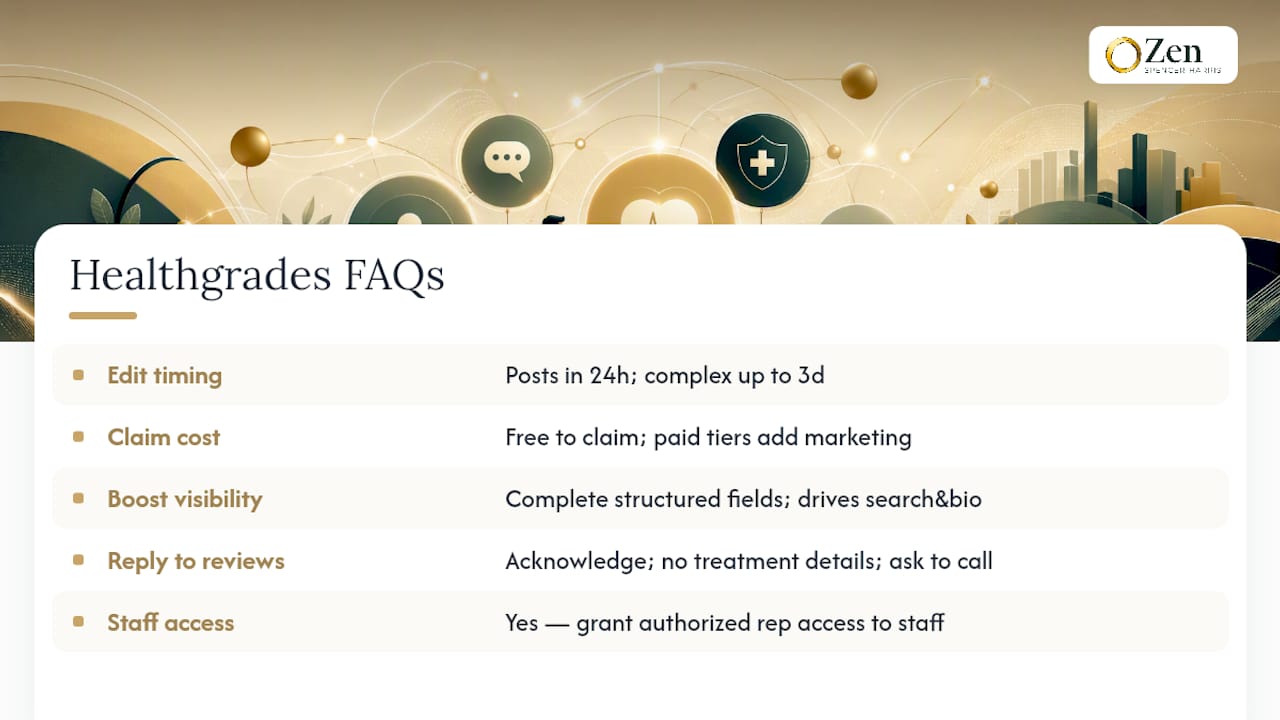
Can staff manage my Healthgrades profile for me? Yes. Providers can grant authorized representative access so office staff or a marketing coordinator can handle routine updates.
Sources
- Edit Your Provider Profile
- How to improve your reputation on Healthgrades
- Claim your Healthgrades profile
- The Healthgrades editorial process
- Help center FAQs