

Claim your Google Business Profile today, verify it, fix any mismatched name or phone number across the web, add a direct booking link and real photos, then run through the 30-point audit below. That sequence alone typically moves the needle on calls, direction requests, and booked appointments within a few weeks of consistent local search traffic.
- Time to complete first pass: under an hour
- Who should own it: your office manager, front-desk lead, or a marketing vendor
- Primary payoff: more visibility in the local 3-pack, more trust from patients comparing providers, more booked visits
Key Takeaways
A verified, consistently updated Google Business Profile with a direct booking link and real photos converts local search traffic into booked appointments faster than any other free channel available to a medical practice.
| Point | Details |
|---|---|
| Claim before creating | Search your practice and provider name first; Google often auto-generates listings you haven't claimed. |
| Fix NAP data first | Mismatched name, address, or phone across your website and directories undermines rankings and trust. |
| Photos drive clicks | Full, real photo galleries generate more calls and direction requests than thin or stock-heavy profiles. |
| Respond to every review | Use short, compliant templates that never confirm visit or diagnosis details publicly. |
| Track bookings, not views | Tie booking link clicks to actual scheduled appointments using UTM parameters. |
| Get expert execution | Zensweb runs performance-based patient acquisition programs, including full GBP audits, tied to booked appointments. |
Table of Contents
- Google Business Profile for Doctors: The 30-Point Audit
- How to Claim and Verify Your Doctor Google Profile Setup
- Optimizing the Fields That Actually Move Patients
- Photos and Videos That Actually Convert Patients
- Getting and Responding to Patient Reviews the Right Way
- Using Q&A and Google Posts to Reduce No-Shows
- Turning Profile Views Into Booked Appointments
- Avoiding Suspensions, Duplicates, and Policy Violations
- Tracking Performance in Google Business Profile Insights
- Your 30/60/90 Day Rollout Plan
- How We Approach Google Business Profile Work for Doctors
- Want Help Executing This? Here's Where Zensweb Fits
- Frequently Asked Questions
- Sources
Google Business Profile for Doctors: The 30-Point Audit
Run this before you touch anything else. Most practices find at least five problems in the first ten minutes.
- Search your practice name and provider name separately. Google often auto-generates a listing you never claimed.
- Claim it through Google Business Profile Manager if one exists; otherwise start fresh.
- Confirm name, address, and phone match your website exactly (this is your NAP data).
- Check hours, including holiday exceptions and telehealth availability.
- Review your primary and secondary categories.
- Confirm services, accepted insurance, and attributes (accessibility, languages spoken) are filled in.
- Check for a working booking link.
- Count and refresh photos, including provider headshots.
- Scan recent reviews and unanswered questions.
- Search for duplicate listings tied to your address or phone number.
Pro Tip: Set a recurring 15-minute calendar reminder, once a month, to rerun steps 3, 4, and 9. Stale hours and unanswered reviews are the two things that erode trust fastest.
Immediate fixes, in priority order:
- Merge or flag duplicate listings
- Correct any mismatched NAP data
- Add or fix the booking link
- Upload at least 10 real photos
- Respond to every unanswered review from the last 90 days
How to Claim and Verify Your Doctor Google Profile Setup
Search your practice and provider name before creating anything new. Google frequently auto-generates listings for healthcare providers pulled from directories, and claiming an existing one is faster than starting over and risking a duplicate. If nothing exists, Google's Business Profile tool walks you through a 3-step creation flow.
- Click "Manage now" and search your official practice name.
- Enter the legal business name exactly as it appears on your signage and licensing documents.
- Choose your primary category (more on this below).
- Add your address, phone number, and website.
- Request verification.
Verification methods include a postcard mailed to your address, a phone call, an email, or instant verification through Google Search Console if you've already verified your domain there. Postcard verification is the most common for healthcare and typically takes several days. Google Business Profile itself is free. The only cost is staff time and, if you choose it, help from a vendor to manage the account.
Optimizing the Fields That Actually Move Patients
Every field on this profile either builds trust or quietly kills it. Get the basics wrong and Google may bury or suspend the listing before a patient ever sees it.
Use your exact legal or posted practice name. Never add specialties or city names into the name field ("Dr. Jane Doe, Top Dermatologist NYC") to chase keywords. This is one of the fastest ways to trigger an automated suspension, since it directly violates Google's guidelines for business naming.
- Primary category: pick the most specific option available (Dermatologist, not just Doctor)
- Secondary categories: add relevant supporting categories, such as Skin Care Clinic
- Services: list them in plain language patients actually search, not clinical shorthand
- Accepted insurance: name the plans you take, since insurance-first searching is increasingly common
- Hours: include telehealth windows and any after-hours triage line
A growing share of patients search by insurance plan or symptom before they search by provider name. A profile that lists accepted plans and everyday service names captures searches a jargon-heavy listing misses entirely, according to guidance from Connor Cedro.
Pro Tip: Write service descriptions the way a patient would describe their problem to a friend, not the way you'd chart it. "Trouble sleeping" converts better than "insomnia management protocol."
Photos and Videos That Actually Convert Patients
A near-empty photo gallery is one of the most common reasons a well-optimized listing still underperforms. Businesses with a strong, real photo library on their profile receive noticeably more calls, direction requests, and website clicks than listings with just a handful of stock or outdated images.

The visibility gap between thin and full photo galleries is one of the largest, cheapest wins available on the entire profile.
Upload these at minimum:
- Exterior and entrance shots (patients want to recognize the building before they arrive)
- Waiting room and reception area
- Exam rooms, staged and empty
- Provider headshots, professionally lit
- Staff team photo
Pro Tip: Refresh photos every quarter, and never post an image where a patient's face is identifiable without signed consent. When in doubt, leave the patient out of the frame entirely.
Getting and Responding to Patient Reviews the Right Way
Review count, recency, and average rating all factor into how Google ranks you locally and how patients judge you before they call. A profile with only outdated reviews can appear inactive to potential patients, even if the practice is actively serving patients.
Build a repeatable request process:
- Send a text or email review request within 24 hours of the visit, while the experience is fresh.
- Use a short, direct message: a one-line ask with a direct review link outperforms a long paragraph.
- Track which channel (text vs. email) gets better response rates and lean into it.
Response templates matter more than most practices realize. For positive reviews, keep it short and specific: "Thank you for sharing this, we're glad the visit went smoothly and we look forward to seeing you again." For negative reviews, acknowledge without defensiveness and move the conversation offline: "We're sorry to hear this didn't meet your expectations. Please call our office so we can address it directly." Never confirm a patient's visit, diagnosis, or treatment details in a public reply. That's a privacy line, not just a tone issue.
Pro Tip: Assign one staff member to own review responses weekly rather than letting them pile up. A structured reputation workflow beats sporadic effort every time.
Using Q&A and Google Posts to Reduce No-Shows
Anyone can post a question, and anyone can answer it, including strangers. Seed your own Q&A first with the logistics patients ask about before calling: parking, insurance verification, and what to bring to a new-patient visit.
- Post 2 to 4 questions yourself, then answer them from the practice's official account
- Check weekly for new questions and answer within 48 hours
- Use Google Posts for service updates, seasonal appointment openings, and new provider announcements
- Week 1: post a "new patient welcome" update
- Week 2: highlight a specific service or condition treated
- Week 3: share an availability update or seasonal reminder
Pro Tip: Enable direct messaging only if someone checks it daily. An unanswered message thread looks worse than no messaging option at all.
Turning Profile Views Into Booked Appointments
A booking link that goes to a generic contact form loses patients who wanted to schedule in three clicks. Practices that link directly to real-time scheduling, matched to the specific provider or practice the patient searched for, convert profile traffic at a noticeably higher rate than those routing through static contact pages.
- Link the booking button to live scheduling, not just a phone number
- Match the link's destination to the listing type (practice-wide vs. individual provider)
- Add UTM parameters to the booking link so you can trace bookings back to GBP specifically
- Keep provider bios and headshots current next to the booking CTA
Pro Tip: If your website uses structured data (schema markup) for appointment availability, it reinforces what your profile promises and reduces drop-off between the click and the confirmed booking.
Avoiding Suspensions, Duplicates, and Policy Violations
Keyword-stuffed names, mismatched NAP data, duplicate listings, and stock photos showing identifiable patients are the most common triggers for healthcare-specific suspensions. Wrong categories cause quieter damage: your listing simply doesn't show up for the searches that matter.
Watch for:
- A name field with extra keywords or credentials tacked on
- Different phone numbers on your website vs. your GBP listing
- Two listings at the same address (often one auto-generated, one claimed)
- Search your practice name and address to spot duplicates
- Request a merge through Google's support tools once you find one
- Correct NAP data everywhere it appears, including directory sites
- If suspended, gather your business license, utility bill, and photos of the physical location before filing a reinstatement request
Tracking Performance in Google Business Profile Insights
Profile views, search queries, calls, direction requests, website clicks, and booking link clicks are the core metrics inside GBP Insights. Watch which search terms actually bring people in. That's often more revealing than the raw view count.
- Check weekly for the first month after major changes
- Move to monthly reporting once metrics stabilize
- Tie booking link clicks to actual completed appointments using UTM parameters and your scheduling system's data, not just click counts
The number that matters most isn't views. It's the percentage of profile clicks that turn into a scheduling system booking. That's the figure that ties this entire effort back to revenue.
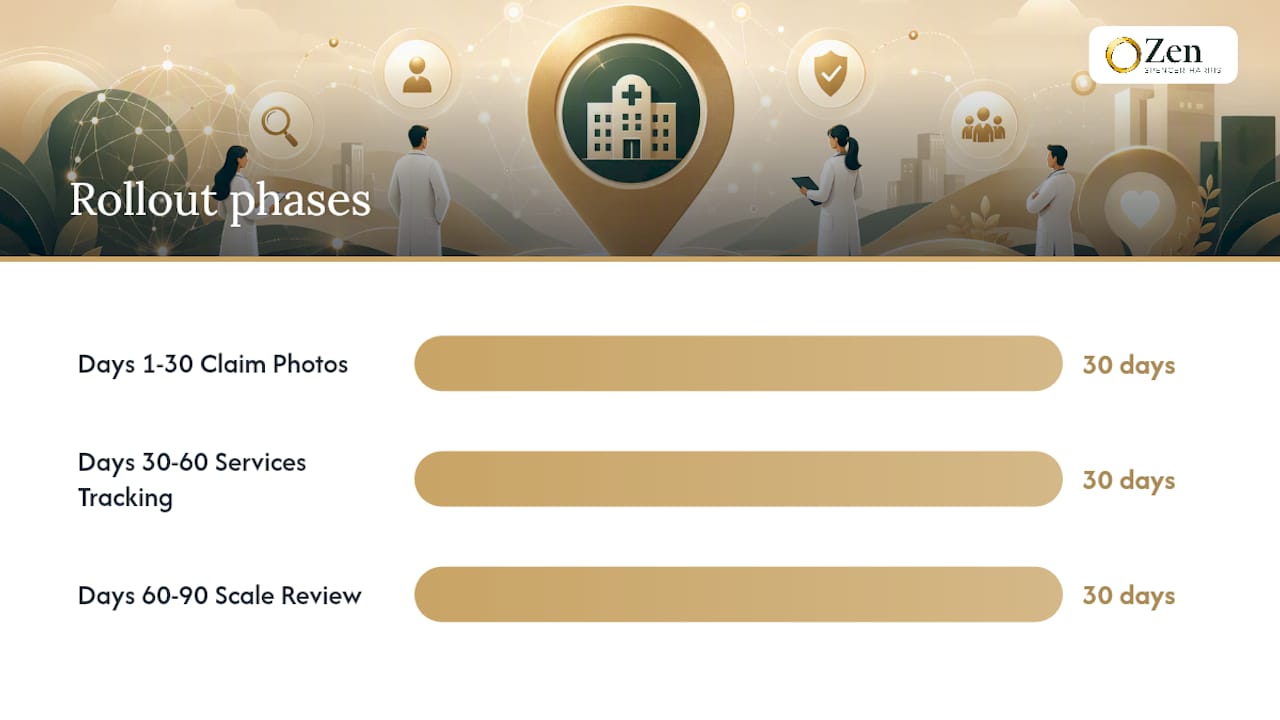
Your 30/60/90 Day Rollout Plan
| Timeframe | Priorities |
|---|---|
| Days 1-30 | Claim and verify the listing, fix NAP data, add the booking link, upload core photos, seed Q&A, and start a review request cadence. |
| Days 30-60 | Expand the services list, refine categories, add UTM tracking to the booking link, and tighten review response times. |
| Days 60-90 | Scale posting frequency, test different booking link destinations, and review Insights data to guide the next round of changes. |
How We Approach Google Business Profile Work for Doctors
We treat a Google Business Profile as an operating system for patient acquisition, not a form you fill out once and forget. The engagements we run are built around booked appointments, not vanity metrics like impressions or profile views. When a listing is managed correctly, it becomes one of the most consistent, lowest-cost channels a specialty practice has.
Want Help Executing This? Here's Where Zensweb Fits
Running the audit above is doable in-house, but keeping it current every month, across every location and provider, is where most practices lose momentum. Zensweb built its patient acquisition programs around exactly this gap: performance-based work where you pay for booked appointments, not hours logged.
Our team runs the full 30-point audit, fixes NAP inconsistencies across directories, rebuilds the photo library, and sets up review workflows so your front desk isn't chasing this between patients. For practices ready to go further, our AI Share of Voice work extends the same visibility strategy to ChatGPT, Claude, and Perplexity, where more patients are starting their search before they ever open Google. Start with a free healthcare audit and see exactly where your current profile is losing patients.
Frequently Asked Questions
How long does it take to verify a Google Business Profile for a doctor's office? Postcard verification, the most common method, typically takes five to fourteen days. Phone and email verification can complete within minutes to a few days if those options are available for your listing.
Is optimizing a Google Business Profile for a medical practice free? Yes. Creating, claiming, and fully optimizing the profile costs nothing beyond staff time. Any cost comes from choosing to hire help for ongoing management.
Can I include my specialty in my Google Business Profile name? No. Adding specialties or credentials into the name field violates Google's naming policy and is a common cause of automated suspensions for healthcare listings.
How often should I post updates to my Google Business Profile? A cadence of two to four Google Posts per month keeps the profile active without becoming a burden, alongside monthly checks on hours, photos, and unanswered reviews.
What's the fastest way to increase patient bookings from my profile? Add a direct, real-time booking link instead of a generic contact form, and keep provider hours and availability accurate at all times.
Sources
- Get Listed on Google - Google Business Profile
- Google Business Profile for Doctors: Optimize for Patients
- Google Business Profile for Doctors | Complete Setup Guide